
Every WordPress site needs ongoing care. Updates, backups, security patches, performance tuning, and uptime monitoring are not one-time tasks. They repeat week after week, and skipping them invites downtime, hacks, and frustrated visitors.
The real question is not whether you need WordPress maintenance. It is how you handle it. Two popular approaches dominate the conversation today: using a self-service platform like ManageWP or relying on traditional managed WordPress services bundled with your hosting provider.
Both paths solve the same core problem, but they do it in very different ways. This comparison breaks down the strengths, limitations, pricing, and ideal use cases of each approach so you can make the right call for your situation.
Understanding the Two Approaches
What Is ManageWP?
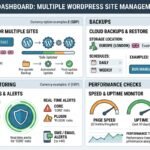
ManageWP is a cloud-based WordPress management tool that lets you monitor, update, back up, and secure multiple WordPress sites from a single dashboard. You install a small worker plugin on each site, connect it to ManageWP’s platform, and control everything centrally.
It is hosting-agnostic. Your sites can live on any server, any provider, any plan. ManageWP sits on top of your existing setup and adds a management layer without replacing anything. The free tier covers basic dashboard access, one-click updates, and monthly backups. Premium add-ons unlock daily backups, uptime monitoring, client reports, and more.
What Are Traditional Managed WordPress Services?
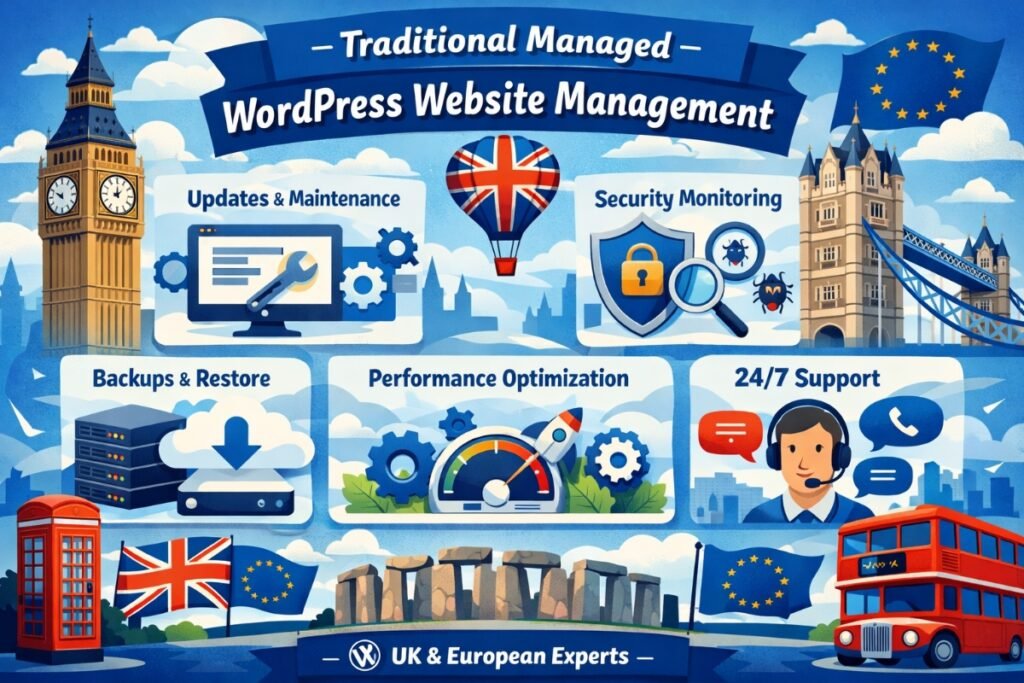
Traditional managed WordPress services are typically offered by specialized hosting companies like WP Engine, Kinsta, Flywheel, and Cloudways. When you sign up for a managed WordPress hosting plan, the provider handles much of the backend maintenance for you.
This usually includes automatic WordPress core updates, daily backups, server-level caching, staging environments, enhanced security, and technical support staffed by WordPress specialists. The management layer is baked into the hosting itself rather than added as a separate tool.
Some agencies and freelancers also offer WordPress maintenance services as a standalone package, where they manually handle updates, monitoring, and troubleshooting on your behalf. For this comparison, we are focusing primarily on hosting-based managed services since they represent the most common alternative to platforms like ManageWP.
ManageWP vs Managed WordPress Hosting: Feature-by-Feature Comparison
The table below puts the two approaches side by side across the factors that matter most when choosing how to manage multiple WordPress sites.
| Feature | ManageWP | Traditional Managed WordPress |
|---|---|---|
| Cost | Free core plan. Premium add-ons from $1 to $2 per site/month. No hosting included. | Higher monthly fees ($25 to $100+ per site) that bundle hosting and management together. |
| Ease of Use | Intuitive dashboard. Minimal learning curve. Self-managed by you. | Hands-off for the user. The hosting provider handles most tasks automatically. |
| Control and Flexibility | Full control over every site, plugin, and update. Works with any host. | Some providers restrict certain plugins, themes, or server configurations. |
| Automation | Automated updates, backups, and scans. User configures the schedule. | Automatic core updates and backups handled by the host with limited user control. |
| Security | Sucuri-powered security scans. Vulnerability alerts. No server-level firewall. | Server-level firewalls, DDoS protection, malware removal, and managed SSL. |
| Performance Monitoring | Built-in page speed checks and uptime monitoring (premium). | Server-level caching, CDN integration, and performance tuning included. |
| Scalability | Unlimited sites on any hosting. Scales easily without changing infrastructure. | Scaling often requires upgrading to higher-tier hosting plans at increased cost. |
| Support | Community forums and email support. No phone support. | Dedicated WordPress expert support, often 24/7 with live chat and phone. |
| Client Reporting | Branded, automated client reports (premium add-on). | Not typically included. You build reports manually or with third-party tools. |
Benefits of Using ManageWP
ManageWP appeals most to users who want hands-on control without the repetitive grunt work. Here is what it does well.
- Host independence: You are not locked into any single hosting provider. Mix and match hosts across your portfolio and still manage everything from one place.
- Cost efficiency at scale: Managing 50 sites on ManageWP’s free plan costs nothing. Even with premium add-ons, the per-site cost stays well below managed hosting rates.
- Granular control: You decide exactly which updates to apply, when backups run, and which sites get premium features. Nothing happens without your knowledge.
- Client-facing features: Branded reports, white-label options, and centralized management make it purpose-built for freelancers and agencies offering WordPress maintenance services.
- Bulk operations: Update plugins, themes, or WordPress core across dozens of sites in a single action. This is where ManageWP saves the most time.
Benefits of Traditional Managed WordPress Services
Managed WordPress hosting takes a different philosophy. It prioritizes convenience and depth of infrastructure support.
- True hands-off experience: You do not need to configure backup schedules, run security scans, or monitor uptime yourself. The provider handles it all.
- Server-level optimization: Managed hosts optimize their entire stack for WordPress, including caching, PHP versions, database tuning, and CDN integration. This often results in faster load times out of the box.
- Expert support: When something breaks, you talk to WordPress specialists who understand server environments. This level of support can be a lifesaver during emergencies.
- Staging environments: Most managed hosts offer one-click staging so you can test changes safely before pushing them live.
- Built-in security infrastructure: Firewalls, DDoS mitigation, and automatic malware scanning at the server level offer deeper protection than application-layer scans alone.
Limitations Worth Knowing
Where ManageWP Falls Short
ManageWP is a management layer, not a hosting solution. It does not improve your server speed, fix hosting-level security gaps, or provide technical support for server issues. If your hosting is slow or unreliable, ManageWP cannot fix that. It also requires you to be proactive. Automation handles the routine, but you still need to review alerts, approve updates, and respond to issues.
For users who want a completely passive experience, ManageWP may feel like it still demands too much attention.
Where Traditional Managed WordPress Falls Short
The biggest limitation is cost, especially at scale. Hosting 30 sites on a managed WordPress platform can easily run into hundreds of dollars per month. Many providers also impose restrictions on which plugins you can use, which can be frustrating for developers who rely on specific tools.
Vendor lock-in is another concern. Migrating away from a managed host often involves more friction than switching between standard shared or VPS providers. And if you manage sites across different hosts, you lose the centralized dashboard that ManageWP provides. Each host becomes its own silo.
Real-World Use Cases: Which Approach Fits Best?
Freelancers Managing Client Sites
ManageWP is typically the better fit here. Freelancers need to keep costs low while delivering professional maintenance across a growing roster of clients. The centralized dashboard, bulk updates, and client reporting features align perfectly with this workflow. Most freelancer clients are on budget hosting, and ManageWP works seamlessly regardless of the host.
Agencies Running Large Portfolios
Agencies benefit from ManageWP’s scalability. Adding a new client site takes minutes, and the per-site cost stays minimal. However, agencies that also handle performance-critical sites may pair ManageWP with managed hosting for their highest-traffic properties, getting the best of both worlds.
Small Business Owners
A small business owner running a single WordPress site and lacking technical confidence will likely find more value in managed WordPress hosting. The hands-off approach, expert support, and bundled performance optimization remove the need to learn any tools or platforms. You pay more, but you also worry less.
Large, High-Traffic Websites
For enterprise-level or high-traffic sites, traditional managed hosting is usually the stronger choice. Server-level performance tuning, advanced caching, CDN integration, and dedicated support are critical at this scale. ManageWP can complement this setup for update management and reporting, but it should not replace the hosting infrastructure itself.
Pricing Comparison Overview
Cost is often the deciding factor, so here is a practical breakdown.
ManageWP pricing:
- Free plan: dashboard, one-click updates, monthly backups (unlimited sites)
- Premium backups: $2/site/month for daily or hourly schedules
- Uptime monitoring: $1/site/month
- Client reports: $1/site/month
- SEO ranking: $1/site/month
- You still pay separately for hosting on whatever provider you choose
Managed WordPress hosting pricing (typical ranges):
- WP Engine: starting around $25/month for one site
- Kinsta: starting around $35/month for one site
- Flywheel: starting around $15/month for one site
- Prices increase significantly as you add more sites or need higher traffic limits
For someone managing 20 client sites on budget shared hosting at $5/site/month, adding ManageWP’s full premium stack costs roughly $5 to $6 per site. That totals around $200 to $220/month for hosting plus management. Putting those same 20 sites on managed hosting could cost $500 to $1,000+ per month. The savings are substantial.
Which One Should You Choose?
There is no universal winner here. The right choice depends on your role, your technical comfort, and how many sites you manage.
Choose ManageWP if:
- You manage multiple WordPress sites across different hosting providers.
- You want full control over updates, backups, and security at a low cost.
- You are a freelancer or agency that needs client-facing reports and bulk management tools.
- You are comfortable handling WordPress administration yourself.
- Budget efficiency is a priority.
Choose traditional managed WordPress hosting if:
- You run a single high-traffic site or a small number of critical websites.
- You want a hands-off experience where someone else handles everything.
- Server-level performance and security are top priorities.
- You value 24/7 expert support for emergencies.
- You are willing to pay a premium for convenience and peace of mind.
Many professionals end up using both. They host their most important sites on managed platforms for the performance and support benefits, then use ManageWP to tie everything together from a single dashboard and handle bulk operations across their full portfolio. This hybrid approach gives you the best WordPress management tools working together rather than forcing a binary choice.
Conclusion
The ManageWP vs managed WordPress hosting debate is less about which is “better” and more about which is right for your specific workflow. ManageWP excels at giving you centralized, cost-effective control over many sites. Traditional managed hosting excels at deep, server-level optimization and hands-off convenience for individual sites.
If you are a freelancer, agency, or maintenance service provider working across multiple client sites, ManageWP is hard to beat. If you are a business owner who just wants a fast, secure site without thinking about maintenance, managed hosting delivers that peace of mind. And if your needs span both scenarios, combining the two is a practical and effective strategy.
Frequently Asked Questions
Can I use ManageWP with managed WordPress hosting?
Yes. ManageWP works with virtually any WordPress hosting provider, including managed hosts like WP Engine, Kinsta, and Flywheel. Many users pair the two to get centralized management on top of premium hosting infrastructure.
Is ManageWP a hosting service?
No. ManageWP is a management platform, not a hosting provider. It connects to your existing WordPress sites regardless of where they are hosted and provides tools for updates, backups, security, and reporting. You still need separate hosting for your websites.
Which option is cheaper for managing 10 or more sites?
ManageWP is significantly cheaper at scale. The free plan handles unlimited sites, and even with all premium add-ons, the cost per site stays under $6/month. Managed hosting for 10 sites typically starts at $150 to $350/month or more, depending on the provider and traffic requirements.
Do managed WordPress hosts update plugins automatically?
Most managed WordPress hosts handle core WordPress updates automatically, but plugin and theme update policies vary by provider. Some offer automatic plugin updates, while others leave that responsibility to the site owner. ManageWP gives you full control over plugin and theme updates across all connected sites.
What happens if I stop using ManageWP?
Your WordPress sites continue running normally. ManageWP does not alter your site files or database structure. If you deactivate the worker plugin, the only change is that you lose access to the centralized dashboard and any automated tasks you had configured through the platform.