
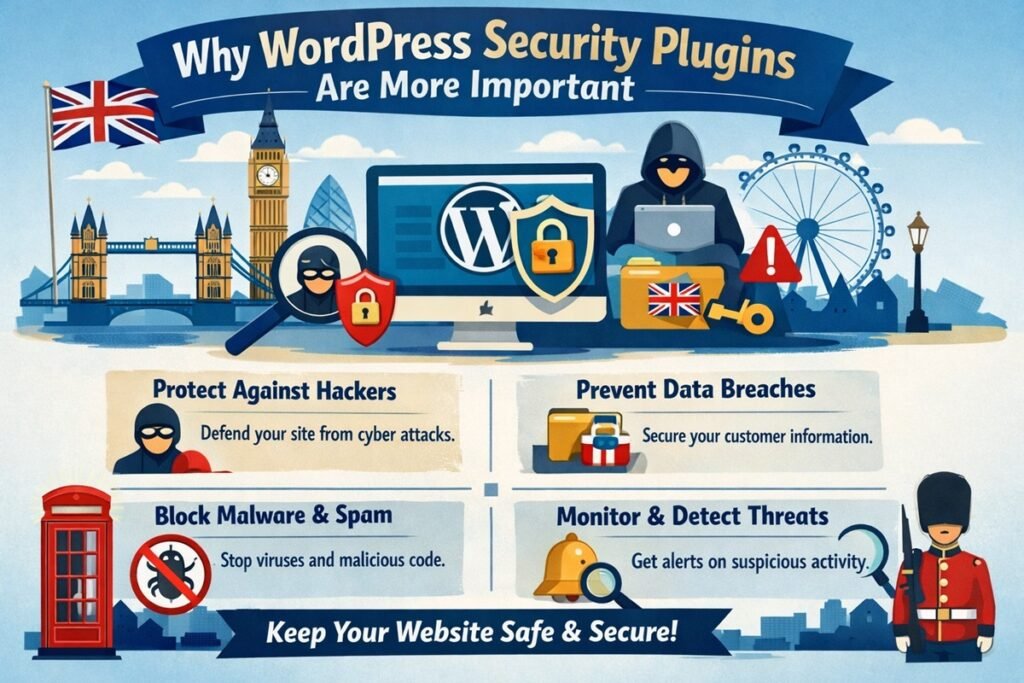

Discover why WordPress security plugins are essential in 2026. Protect your website from malware, hackers, and vulnerabilities with the right tools.
You built your WordPress site with care. You chose the right theme, installed the right plugins, and published content that took real time and effort. But here is the uncomfortable truth: while you were doing all that, cybercriminals were looking for ways in.
Website attacks are no longer something that only happens to big corporations or government institutions. In 2026, small business websites, blogs, and local service pages are being targeted at an unprecedented rate. And WordPress, powering over 43% of the entire web, is squarely in the crosshairs.
If you are running a WordPress site and you do not have a proper security setup in place, this article is for you. We are going to break down the current threat landscape, explain what WordPress security plugins actually do, and help you make smart, informed decisions to protect your site before something goes wrong.
The Rising Threat Landscape in 2026
The cybersecurity landscape has changed dramatically over the past two years. What used to require a skilled hacker can now be done with automation, artificial intelligence, and cheap tools available on the dark web.
AI-Powered Attacks Are Now a Reality
Cybercriminals are using AI to scan thousands of websites per hour, identify vulnerabilities, craft convincing phishing messages, and even generate malicious code. These are not slow, manual attacks. They are fast, adaptive, and relentless.
AI-driven bots can test hundreds of login combinations per minute, identify outdated plugin versions, and exploit known weaknesses almost instantly after a vulnerability is disclosed. This dramatically shortens the window between a vulnerability being published and your site being attacked.
Brute Force Attacks and Credential Stuffing
Brute force attacks remain one of the most common WordPress security risks. Attackers use automated bots to repeatedly try username and password combinations until they find one that works. With credential stuffing, they use leaked login data from other breached websites to try their luck on yours.
If your login page is unprotected, your site is essentially inviting these attempts every single day.
Zero-Day Vulnerabilities and Plugin Exploits
In 2025 and 2026, security researchers have recorded a sharp rise in zero-day vulnerabilities within popular WordPress plugins and themes. These are flaws that are exploited before developers even have a chance to release a fix. Without real-time threat detection, your site could be compromised before you even know a vulnerability exists.
Why WordPress Sites Are Prime Targets
You might think: “My site is too small to be a target.” This thinking is exactly what hackers count on.
WordPress’s massive market share means attackers can build one automated exploit and deploy it across millions of websites simultaneously. They do not need to target you specifically. They just need to find any unprotected WordPress installation, and yours could be one of thousands compromised in a single campaign.
The Plugin Ecosystem Has Weak Points
WordPress has over 60,000 plugins in its official repository. That is a huge advantage for flexibility, but it also creates a large attack surface. Many plugins are developed by independent developers who may not maintain them regularly. An abandoned plugin with a known vulnerability sitting on your site is an open door for attackers.
Common Website Security Weaknesses
Most compromised WordPress sites share a few common weaknesses:
- Outdated plugins, themes, or WordPress core
- Weak or reused passwords
- No two-factor authentication on the admin login
- No firewall or malware scanner in place
- Using the default “admin” username
- Shared hosting with poor server-level security
The good news is that a reliable WordPress security plugin can address most of these issues in one go.
What WordPress Security Plugins Actually Do
Many site owners assume security plugins are just a formality, a box to tick. In reality, a good security plugin is like having a 24/7 security guard, CCTV system, and alarm all rolled into one.
Web Application Firewall (WAF)
A WordPress firewall plugin monitors incoming traffic and blocks malicious requests before they ever reach your website. It filters out bots, scanners, and known attack patterns in real time. Think of it as a bouncer at the door of your website.
Malware Scanning and Removal
WordPress malware protection tools scan your website files, database, and code for signs of infection. If malware is found, many plugins will alert you immediately and offer options to remove it. Without scanning, malware can sit quietly on your site for weeks, stealing data or redirecting visitors without you knowing.
Login Protection and Two-Factor Authentication
Security plugins can limit login attempts, hide the default login URL, block suspicious IP addresses, and enforce two-factor authentication (2FA). These measures alone can stop the vast majority of brute force attacks cold.
Activity Logs and Monitoring
A detailed activity log shows you exactly who logged in, what changes were made, and when. If a file is modified unexpectedly or an unknown admin account appears, you will know about it straight away. This kind of visibility is invaluable for detecting early signs of a breach.
File Integrity Monitoring
Core WordPress files should not change unless you update them yourself. Security plugins can monitor these files and alert you if anything is modified, added, or deleted without your permission, giving you an early warning system against tampering.
Key Features to Look for in 2026
Not all security plugins are equal. As threats evolve, so should the tools you use to fight them. Here is what to prioritise when choosing the best WordPress security plugins in 2026.
- AI-Powered Threat Detection: Plugins that use machine learning to identify unusual patterns and emerging threats, not just known attack signatures.
- Real-Time Monitoring: Continuous scanning rather than scheduled checks, so threats are caught the moment they appear.
- Cloud-Based Protection: Cloud firewalls offload traffic filtering away from your server, keeping your site fast even while under attack.
- Automatic Updates and Patch Management: Some plugins can automatically update vulnerable components, reducing your exposure window.
- IP Reputation Databases: Blocking known malicious IP addresses based on global threat intelligence networks.
- GDPR and Compliance Support: For UK and EU site owners, tools that help with data protection compliance are increasingly important.
The Real Benefits of Using WordPress Security Plugins
Beyond stopping hackers, installing a solid security plugin delivers a range of practical benefits that directly affect your business.
Protecting Your Visitors’ Data
If your site collects names, emails, or payment information, you have a legal and ethical responsibility to protect that data. A breach can result in significant fines under UK GDPR and severe damage to your reputation.
Protecting Your Search Rankings
Google actively penalises hacked websites. If your site is found distributing malware or hosting phishing content, it can be blacklisted by Google and other search engines. Recovering lost rankings after a security incident can take months of hard work. Good security is also good SEO.
Keeping Your Site Online
DDoS attacks and server-level exploits can bring your site down completely. A firewall that blocks malicious traffic at the edge means your hosting server stays responsive and your visitors stay happy.
Building Trust With Visitors
Visitors are increasingly security-conscious. A site that loads over HTTPS, does not redirect them to suspicious pages, and does not trigger browser warnings earns trust automatically. Security plugins help keep all of that in order.
The Real Risks of Not Using Security Plugins
Let us be direct. If you are running a WordPress site without any security plugin, here is what you are risking:
- Complete site takeover: Hackers can gain admin access, delete your content, or lock you out entirely.
- SEO blacklisting: Google can delist your site if malware is detected, wiping out years of organic search progress.
- Data theft: Customer emails, passwords, and payment details can be harvested silently.
- Reputation damage: Visitors who land on a hacked site may never return, and word spreads fast.
- Costly recovery: Emergency malware removal and site restoration can cost hundreds or even thousands of pounds if handled by professionals after the fact.
Prevention is always cheaper than the cure.
Best WordPress Security Plugins to Consider in 2026
Here is a quick overview of the most trusted options available right now.
Wordfence Security
Wordfence is one of the most widely used WordPress security plugins in the world. It includes a robust web application firewall, malware scanner, real-time threat intelligence, and login security tools. The free version covers most small site needs, while the premium version includes real-time firewall rule updates and IP blacklisting.
Sucuri Security
Sucuri offers a cloud-based website application firewall that filters traffic before it even reaches your server. It is particularly strong at handling DDoS attacks and large-scale bot traffic. Sucuri also provides a professional malware removal service if your site has already been compromised, making it a solid all-in-one solution.
Solid Security (formerly iThemes Security)
Solid Security focuses heavily on hardening your WordPress installation. It offers over 30 ways to protect your site, including two-factor authentication, database backups, file change detection, and brute force protection. It is a user-friendly option well-suited to small business owners who want strong protection without a steep learning curve.
WP Cerber Security
WP Cerber is a lesser-known but highly capable plugin offering anti-spam protection, advanced login security, malware scanning, and traffic inspection. It is a strong choice for those who want granular control over their site’s security settings.
All-In-One Security (AIOS)
AIOS is a popular free plugin with a visual security strength meter that shows you exactly how well-protected your site is. It covers firewall rules, login lockdown, user account security, and database protection in a clean, beginner-friendly interface.
Tips to Maximise Your WordPress Security
A security plugin is your first line of defence, but not your only one. Pair it with these good practices for the strongest possible protection.
- Keep everything updated: WordPress core, themes, and plugins should always be running their latest versions. Most successful attacks exploit known vulnerabilities in outdated software.
- Use strong, unique passwords: Use a password manager to generate and store complex passwords. Never reuse passwords across sites.
- Enable two-factor authentication: Add an extra layer to your admin login so that a stolen password alone is not enough to gain access.
- Take regular backups: A daily automated backup stored off-site means that even in the worst case scenario, you can restore your site quickly. Tools like UpdraftPlus or BlogVault work well for this.
- Choose quality hosting: A good managed WordPress host adds server-level firewalls, malware scanning, and intrusion detection on top of your plugin-level security.
- Limit user roles: Give users only the permissions they need. Not everyone on your team needs administrator access.
- Delete unused plugins and themes: Inactive plugins and themes can still be exploited. If you are not using them, remove them completely.
The Future of WordPress Security
Security is not a one-time setup. It is an ongoing practice that will continue to evolve.
In the coming years, we will see wider adoption of zero-trust security models, where no user or system is trusted by default and everything must be continuously verified. AI-powered security tools will become the standard, not the exception, capable of predicting and blocking attack patterns before they are even widely documented.
Automation will also play a bigger role. From automatic vulnerability patching to self-healing websites that can isolate and repair compromised files without human intervention, the tools available to site owners will become smarter and faster.
But no matter how advanced the tools become, the fundamentals will remain the same: keep your software updated, monitor your site regularly, and make it as hard as possible for attackers to get in.
Conclusion
WordPress security is not optional in 2026. The threat landscape has matured significantly, attacks are faster and more automated than ever before, and the consequences of a breach go far beyond the technical. They affect your revenue, your reputation, your search rankings, and your visitors’ trust.
The encouraging news is that protecting your site does not have to be complicated or expensive. A solid WordPress security plugin, combined with good habits like regular updates, strong passwords, and reliable backups, gives you a robust defence against the vast majority of threats you will ever face.
Do not wait for something to go wrong before you take action. The best time to secure your WordPress site was yesterday. The second best time is right now.
Frequently Asked Questions
Do I really need a WordPress security plugin if I have a small website?
Yes, absolutely. Small websites are frequently targeted precisely because they are less likely to have strong security in place. Automated bots do not discriminate by site size. They scan for vulnerabilities at scale, and a small unprotected site is just as attractive a target as a larger one.
Can I use more than one WordPress security plugin at the same time?
Generally, it is not recommended to run two full-featured security plugins simultaneously, as they can conflict with each other. However, you can pair a dedicated firewall plugin with a separate backup or login protection plugin without issue. Choose one primary security plugin and build around it.
Will a security plugin slow down my website?
A well-coded security plugin should have minimal impact on your site’s speed. Cloud-based firewall solutions like Sucuri actually improve performance by filtering malicious traffic before it reaches your server. Avoid plugins that run heavy scans during peak traffic hours and always test performance after installation.
What should I do if my WordPress site has already been hacked?
First, do not panic. Take your site offline or into maintenance mode to prevent further damage. Run a full malware scan using a plugin like Wordfence or Sucuri. If the infection is complex, consider hiring a professional WordPress security service for a thorough clean-up. After restoring your site, audit your plugins, update everything, change all passwords, and add a security plugin immediately to prevent a repeat incident.
Are free WordPress security plugins good enough?
Free versions of plugins like Wordfence and AIOS offer solid baseline protection for most small to medium websites. However, for business-critical sites or eCommerce stores handling customer data, investing in a premium plan is worth it. Premium plans typically include real-time firewall rules, priority support, and more advanced threat intelligence features.